Notes from the foundry
Far Haul 0.2.0: A Ship That Looks Like a Ship
Recent Windows builds make the ship feel more physical, and playtest-driven navigation changes make long freight runs easier to understand without removing the flying.
The last Far Haul update explained why we retired the browser build to concentrate on Windows. Since then, the work has moved from the big platform decision to a series of tangible improvements: how the ship looks, how it flies, and how clearly it tells you what is happening.
Far Haul has reached version 0.2.0. It is still a prototype, but its freighter is beginning to look and behave less like a collection of development modules and more like a working spacecraft.
Putting a hull around the ship
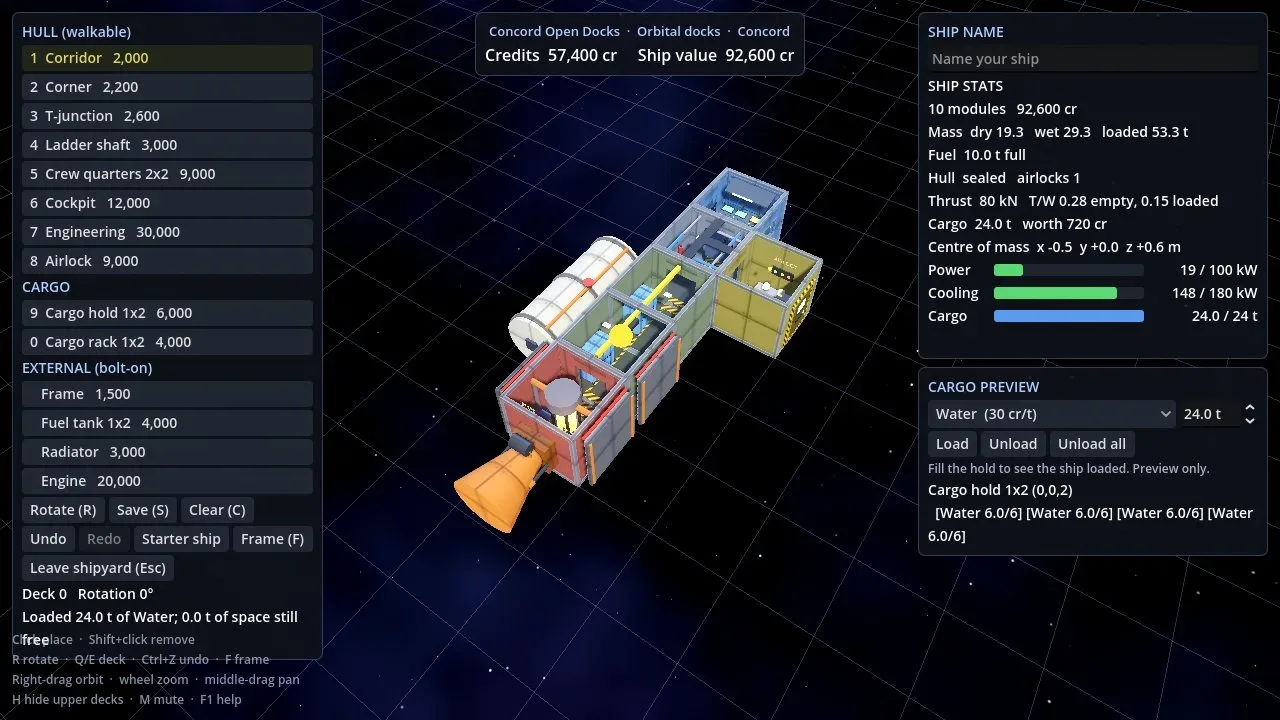
The walkable compartments now sit inside a plated exterior hull, with rounded edges and corners. Windows, the airlock hatch, and reactor vents remain open where they should; unused doorways are covered. Engines, radiators, tanks, jump hardware, and cargo racks mount outside the skin. The builder still exposes the underlying compartments, because that is where you need to see what you are building.
The main engine has also been reworked into an open bell with a glowing throat. Its throttle-responsive plume has a bright core, faint shock diamonds, and a softer outer exhaust. A camera-facing glow makes it visible even when viewed directly from behind. Smaller lift jets have their own bells and exhaust as well.
Making the flight instruments useful
The latest playtests exposed an important problem: in a Newtonian flight model, pointing the nose at your destination is not the same as traveling toward it. That distinction is intentional, but the interface needs to teach it.
Off-screen destination and travel-direction arrows now help locate the target and the ship’s actual motion. Travel markers are labeled, and the HUD reports course error rather than leaving the pilot to guess why a burn is taking so long to change direction.
The braking autopilot has been revised to stop at the target instead of simply stopping the ship wherever it happened to be. New course hold lets a pilot align within five degrees of the target, press V, and have the ship trim sideways drift while the pilot remains responsible for throttle. It is assistance with navigation, not a replacement for flying.
Less waiting, fewer surprises
Time compression is now visible and explained. The display shows the requested and active rates, along with the reason for any limit. Compression becomes available closer to the departure station, scales down as the target approaches, and returns to the chosen rate when conditions permit. The final approach and critical manual braking moments still run at normal speed.
Even running out of fuel has become more sensible: a tug now takes a stranded freighter to the nearer end of a route when possible, with the cost shown before the tow. Surface deliveries remain a special case; a tug cannot land the ship on a moon.
Still a prototype
These changes do not turn Far Haul into a finished game. They do make a difference to the ordinary freight loop: build a ship, leave port, find your destination, manage your momentum, and bring the cargo in without making every trip a battle against unclear controls.
The focus remains on the standalone Windows build. You can find the current version and release notes through the Far Haul downloads.